

Set up on VMware
This guide runs Marolum as a container on one vSphere virtual machine. It covers the two things that differ most from a public cloud: where the database lives and how traffic gets in and out.
It applies equally to air-gapped sites running Enterprise Advanced Security; those differences are called out where they occur.
Architecture
   Corporate network ──443──▶ ┌──────────────────────────────────────────┐
   (or existing LB)           │  vSphere VM (Ubuntu LTS / RHEL)          │
                              │  ┌──────────┐    ┌────────────────────┐  │
                              │  │ reverse  │──▶ │ marolum             │  │──▶ S3 / S3-compatible
                              │  │ proxy    │    │ 127.0.0.1:8080     │  │──▶ private registry
                              │  │ :443     │    │ /data ← data VMDK  │  │──▶ licensing (unless offline)
                              │  └──────────┘    └────────────────────┘  │
                              └──────────────────────────────────────────┘
Before you begin
- A vSphere VM template with a supported Linux distribution and a container runtime (Docker Engine or Podman). Two vCPU and 4 GiB of memory leave room for the proxy beside Marolum's 1 vCPU / 2 GiB baseline.
- A DNS name for Marolum and a certificate your browsers trust, from your internal CA or a public one.
- Network reachability from the VM to the object store that holds your state.
- The verified image digest, mirrored into a registry the VM can reach if the VM has no internet access. See Deployment and setup.
- Your backend details. See Find your backend details.
Persistent storage
SQLite runs in WAL mode and needs an exclusive, durable, block-backed volume presented to the guest as local storage. On vSphere that means a dedicated virtual disk, not a network share inside the guest.
| Storage shape | Supported for /data |
|---|---|
| A second VMDK on a VMFS, vSAN, or NFS datastore | Yes |
| An RDM (raw device mapping) | Yes |
| An NFS or SMB share mounted inside the guest | No |
| A disk shared between two VMs (multi-writer) | No |
| The VM's root disk | Works, but keep data separate |
The datastore backing the VMDK may itself be NFS; what matters is that the guest sees a block device. WAL's locking requirements apply to the guest filesystem, and a VMDK gives the guest ext4 or XFS on a local block device.
Step 1: Add the data disk
- Edit the VM settings and add a new hard disk. Size it for your retention window; 50 GiB is a comfortable starting point.
- Place it on a datastore with the durability and snapshot policy you want for the database.
- Set the disk to Independent – Persistent if you take VM snapshots for the OS and do not want the database included in them. Database backups are taken cold, not by snapshot.
- In the guest, format and mount it:
sudo mkfs.xfs -L marolum-data /dev/sdb
sudo mkdir -p /srv/marolum/data
echo 'LABEL=marolum-data /srv/marolum/data xfs defaults,nofail 0 2' | sudo tee -a /etc/fstab
sudo mount -a
sudo chown 1000:1000 /srv/marolum/data
sudo chmod 700 /srv/marolum/data
Never attach the same VMDK to a second VM. Marolum holds an ownership lock on
marolum.db.owner; a second replica pointed at the same database refuses to start with
ownership-conflict, and a multi-writer disk would bypass the protection the lock provides.
PostgreSQL instead of SQLite
If you already operate PostgreSQL on-premises and hold a Business license, Marolum can use it on one replica; Enterprise adds coordinated replicas. The VM then needs no data disk. See Database integration.
Networking
Inbound
Marolum binds to the loopback interface. Terminate TLS in one of two places:
- On the VM. Caddy or nginx on
:443forwarding to127.0.0.1:8080. Simplest when the VM is directly addressable. - On an existing load balancer (NSX Advanced Load Balancer, F5, HAProxy). Publish the
container on the VM's private address (
--publish 10.10.20.5:8080:8080) and restrict the guest firewall so8080admits only the load balancer. The load balancer holds the certificate and forwards HTTP to8080. Health check:GET /api/v1/readiness, expect200.
Either way, browsers connect only over HTTPS. Leave MAROLUM_ALLOW_HTTP unset.
Guest firewall (for example ufw or firewalld):
| Direction | Port | Source | Purpose |
|---|---|---|---|
| Inbound | 443 | Client ranges or the LB | Console and runner traffic |
| Inbound | 8080 | Load balancer only (if used) | Forwarded traffic |
| Inbound | 22 | Management network only | Administration |
Outbound
Marolum makes three kinds of outbound HTTPS calls:
| Destination | When | Air-gapped equivalent |
|---|---|---|
| The object store | Every observation cycle | An on-premises S3-compatible store |
| The container registry | At pull time | A private registry mirror |
| The licensing service | Connected Business or Enterprise renewals | An offline-site license file (Enterprise Advanced Security) |
Allow those destinations at your egress firewall. Marolum reads the object store directly over
HTTPS; if the store uses a certificate from your internal CA, mount the CA bundle and set
NODE_EXTRA_CA_CERTS:
--mount type=bind,source=/srv/marolum/run/ca-bundle.pem,target=/run/marolum/ca-bundle.pem,readonly \
--env NODE_EXTRA_CA_CERTS=/run/marolum/ca-bundle.pem
Do not disable certificate verification.
Backend credentials
An on-premises VM has no cloud workload identity. Options, in order of preference:
- S3-compatible store with its own access keys. Create a read-only key pair scoped to the
state namespace and pass it as
AWS_ACCESS_KEY_IDandAWS_SECRET_ACCESS_KEYthrough an--env-filewith mode0600. - Static IAM user keys, scoped to the read-only policy in Connect a backend, rotated on a schedule.
Step 2: Secret files
sudo mkdir -p /srv/marolum/run && sudo chmod 700 /srv/marolum/run
sudo sh -c 'umask 077; printf "%s\n" "$(openssl rand -base64 24)" > /srv/marolum/run/admin-password'
sudo sh -c 'umask 077; cat > /srv/marolum/run/backends.json' <<'JSON'
{
  "schemaVersion": 1,
  "backends": [
    {
      "kind": "s3",
      "id": "private-cloud",
      "displayName": "Private cloud infrastructure",
      "bucket": "pulumi-state",
      "layout": "project-scoped",
      "region": "local",
      "endpoint": "https://s3.internal.example",
      "forcePathStyle": true,
      "enabled": true
    }
  ]
}
JSON
sudo chown -R 1000:1000 /srv/marolum/run
sudo chmod 600 /srv/marolum/run/*
endpoint must be an HTTPS origin with no path, query, or credentials. forcePathStyle: true
is typical for S3-compatible stores that do not serve virtual-hosted bucket names.
Step 3: Run Marolum
sudo docker run --name marolum \
  --detach \
  --restart unless-stopped \
  --init \
  --read-only \
  --tmpfs /tmp:rw,noexec,nosuid,size=64m \
  --publish 127.0.0.1:8080:8080 \
  --mount type=bind,source=/srv/marolum/data,target=/data \
  --mount type=bind,source=/srv/marolum/run,target=/run/marolum,readonly \
  --env-file /srv/marolum/s3-credentials.env \
  --env MAROLUM_LOCAL_ADMIN_PASSWORD_FILE=/run/marolum/admin-password \
  --env MAROLUM_BACKENDS_FILE=/run/marolum/backends.json \
  --env MAROLUM_PUBLIC_ORIGIN=https://marolum.internal.example \
  "registry.internal.example/dekglas/marolum@sha256:<digest>"

curl -fsS --retry 30 --retry-all-errors --retry-delay 1 http://127.0.0.1:8080/api/v1/readiness
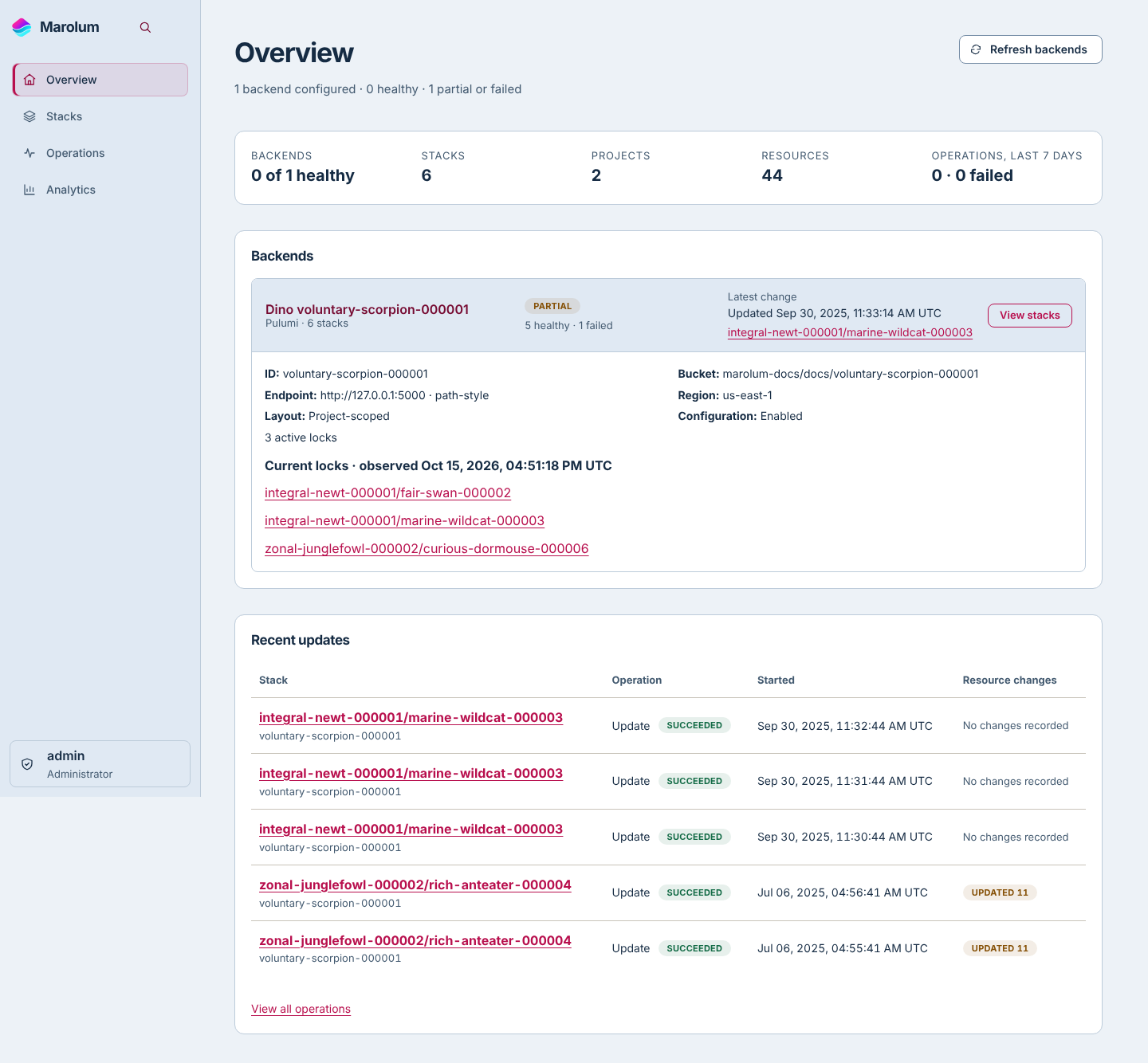
Put your reverse proxy in front (the EC2 guide's containerized Caddy works unchanged here, or use your existing load balancer), sign in, and open Administration → Backends → Connection diagnostics. Check for Reachable, then inspect Overview → Backends and the intended Stacks to verify actual observed state. Expand the backend on Overview to check its custom endpoint and path-style setting. Then remove the password environment variable and securely delete the password file. Docker Compose and systemd turns this command into a unit that starts on boot.
Air-gapped sites
Enterprise Advanced Security runs the same image with an organization-wide offline license and no outbound licensing calls.
On a connected machine, verify the release signature, pull the image by digest, and transfer it with
docker save/docker loador by mirroring to the private registry. The digest is the artifact identity; carry it with the image.Obtain the signed
offline-sitelicense document from Dekglas and mount it as a protected file, mode0600, owned by UID 1000:--mount type=bind,source=/srv/marolum/run/site-license,target=/run/marolum/site-license,readonly \ --env MAROLUM_OFFLINE_SITE_LICENSE_FILE=/run/marolum/site-licenseOpen Administration → Licensing to confirm the edition, grants, and expiry the license resolved to.
The license has its own signed expiry and grace period. Renewal is a file replacement and a restart.
Operate on vSphere
Backups
Backups are cold: stop the container, copy marolum.db and the licensing directory that holds
the installation ID, start the container. Copy them to backup storage that is independent of the
datastore, and verify each copy per
Backup and disaster recovery. The example
assumes that backup storage is mounted at /mnt/backups.
stamp="$(date -u +%Y%m%dT%H%M%SZ)"
sudo mkdir -m 700 "/mnt/backups/$stamp"
sudo docker stop -t 30 marolum
sudo cp -p /srv/marolum/data/marolum.db "/mnt/backups/$stamp/marolum.db"
sudo cp -pR /srv/marolum/data/licensing "/mnt/backups/$stamp/licensing"
sudo docker start marolum
A VM snapshot or a datastore-level backup of a running VM is crash-consistent. It is a useful safety net for the operating system; it is not a verified database backup.
High availability
Run one VM. vSphere HA restarts it on another host after a host failure, and the data VMDK moves with it. Do not run two Marolum VMs against one database; use PostgreSQL with an Enterprise license when you need coordinated replicas.
Upgrades
- Stop the container cleanly and take a cold backup.
- Pull or load the new digest and run the same command against
/srv/marolum/data. - Confirm readiness. A refused start naming a gated migration has migrated nothing; see Database integration.
Monitoring
Poll /api/v1/readiness from your monitoring system and the authenticated
/api/v1/storage-health endpoint for disk pressure. Alert when dataDirectory.freeBytes falls
below the growth headroom you sized the disk for.